Couple Paying Bills

Understand My Bill

Everything you need to know about your energy bill.

Common Causes of High Bills During Seasonal Peaks

Why Is My Bill High? cta btn

Understanding Rates and Where Your Payment Goes

How Rates are Determined cta btn

Bill Samples

Preview details of your sample bill.
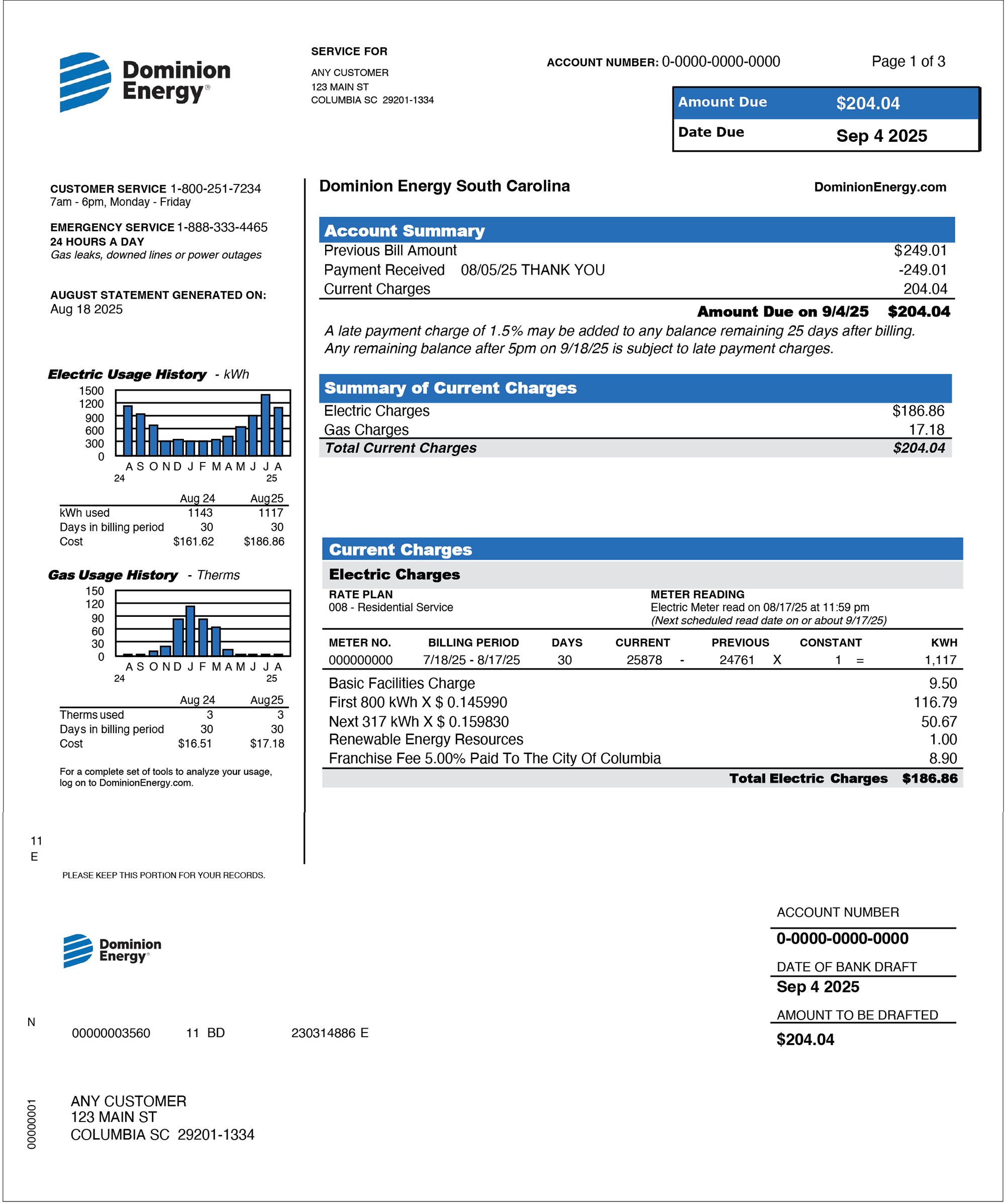
Front of a South Carolina electric & gas bill Front of bill
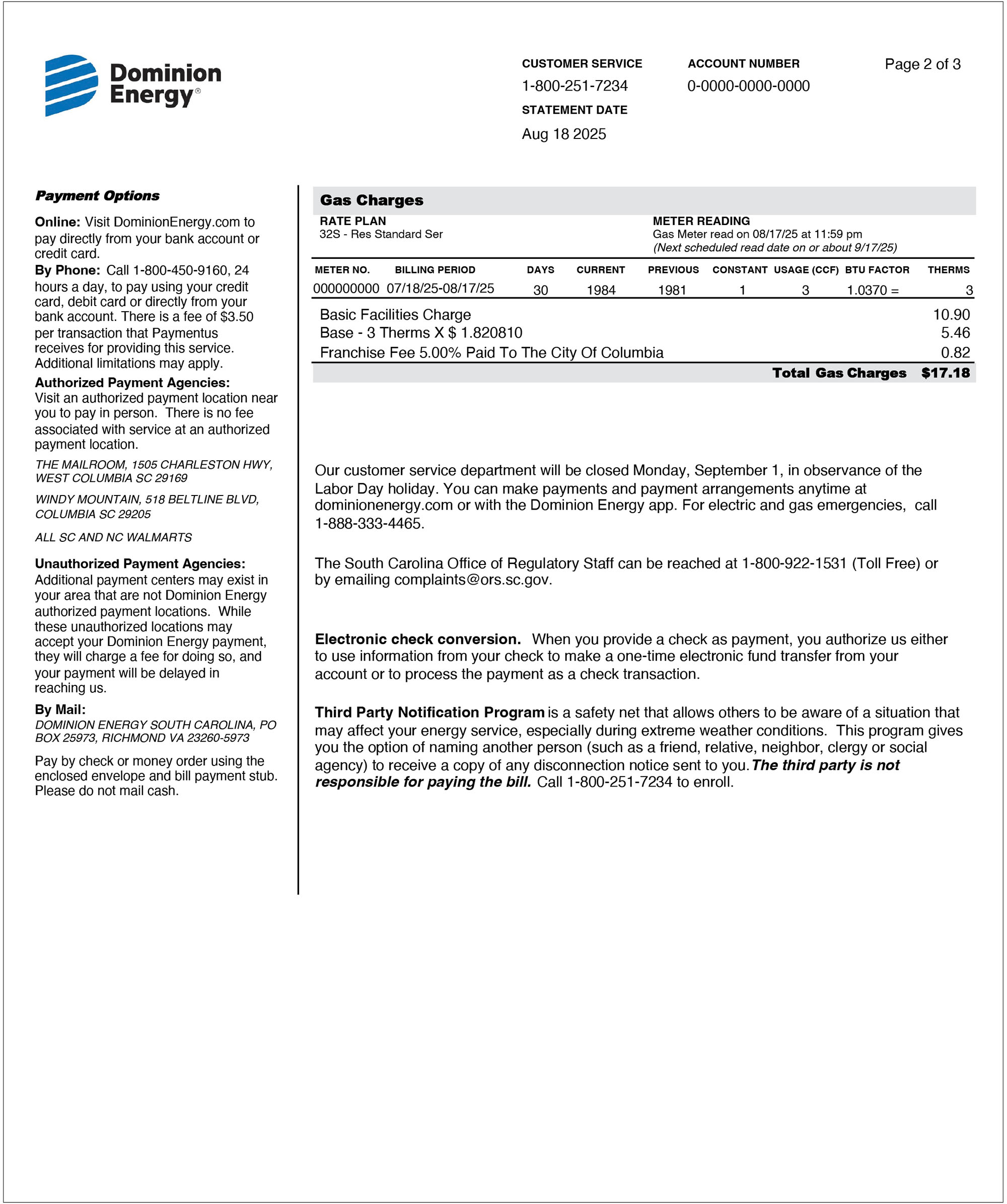
Back of a South Carolina electric & gas bill Back of bill

A Detailed Look at Your Bill

A section-by-section explanation of your bill.

Electric & Gas

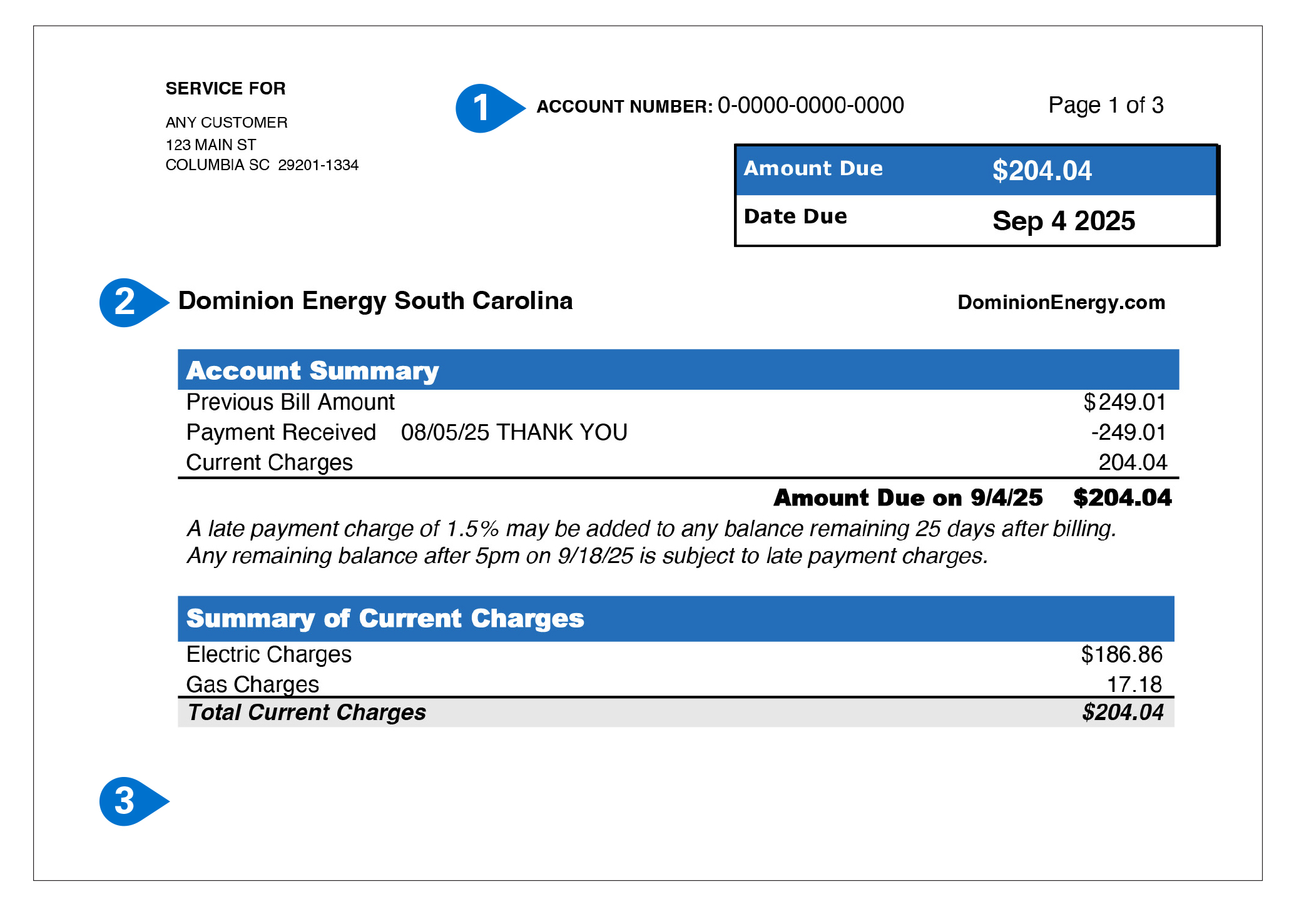
South Carolina Electric & Gas Bill Sample Items 1-3
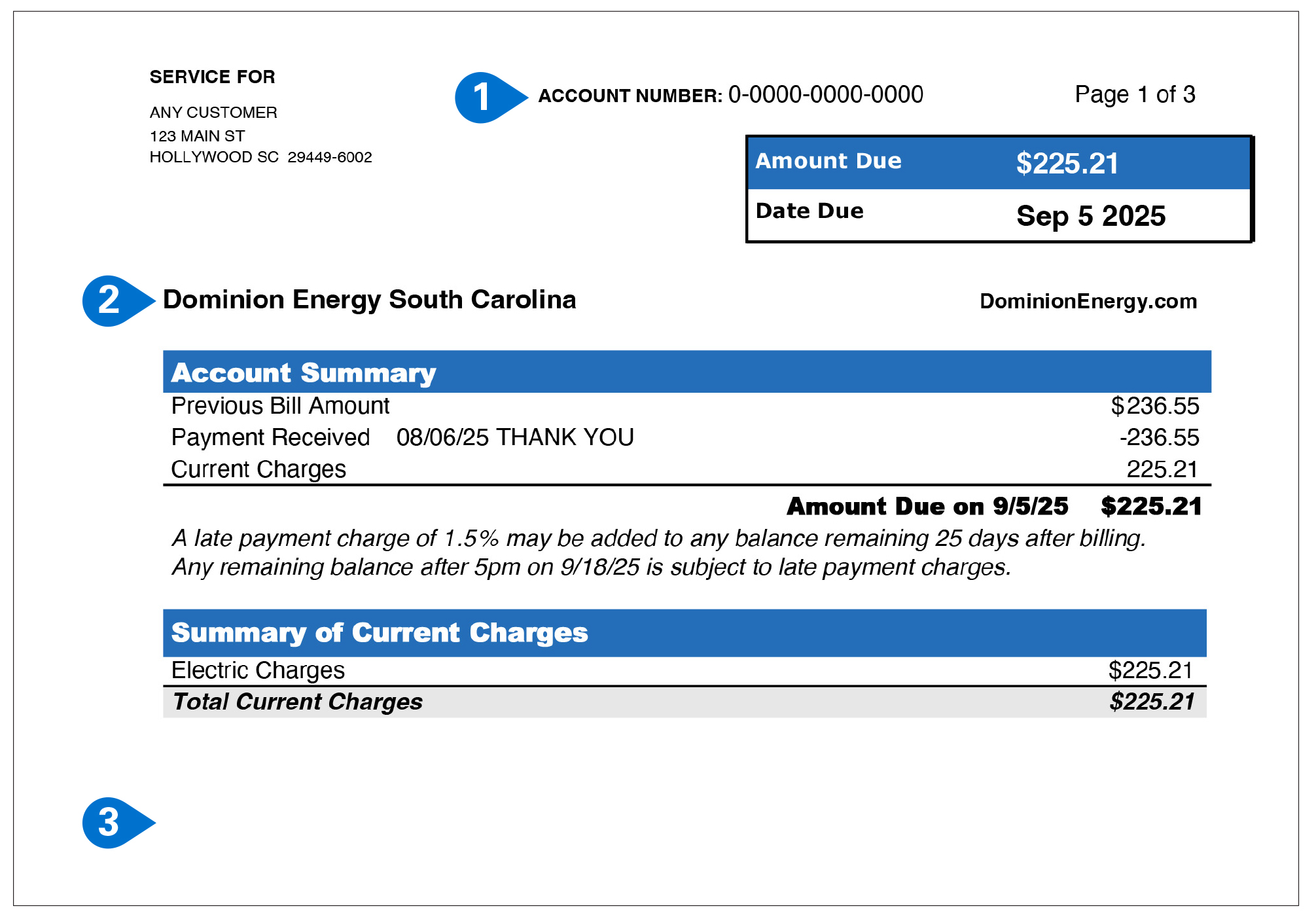
  1. Account Number:
    This is your unique identifier for service at this address. Refer to this number when contacting us about your account.
  2. Account Summary:
    An overview of your account, including your Previous Bill Amount, any Payments Received since the last billing cycle and your Total Current Charges.
  3. Summary of Current Charges:
    An overview of your electric and/or natural gas charges for the billing period.
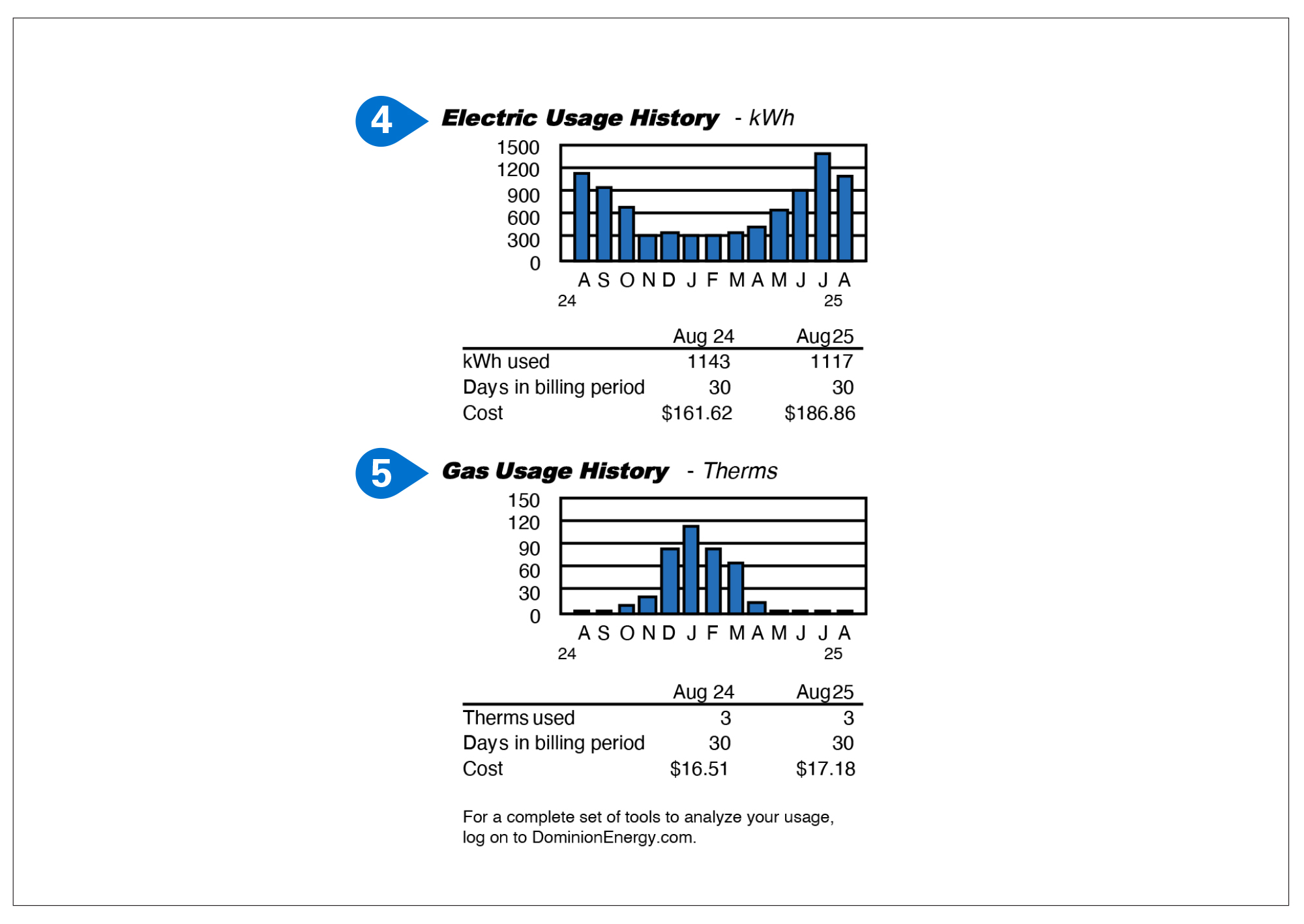
South Carolina Electric & Gas Bill Sample Items 4-5
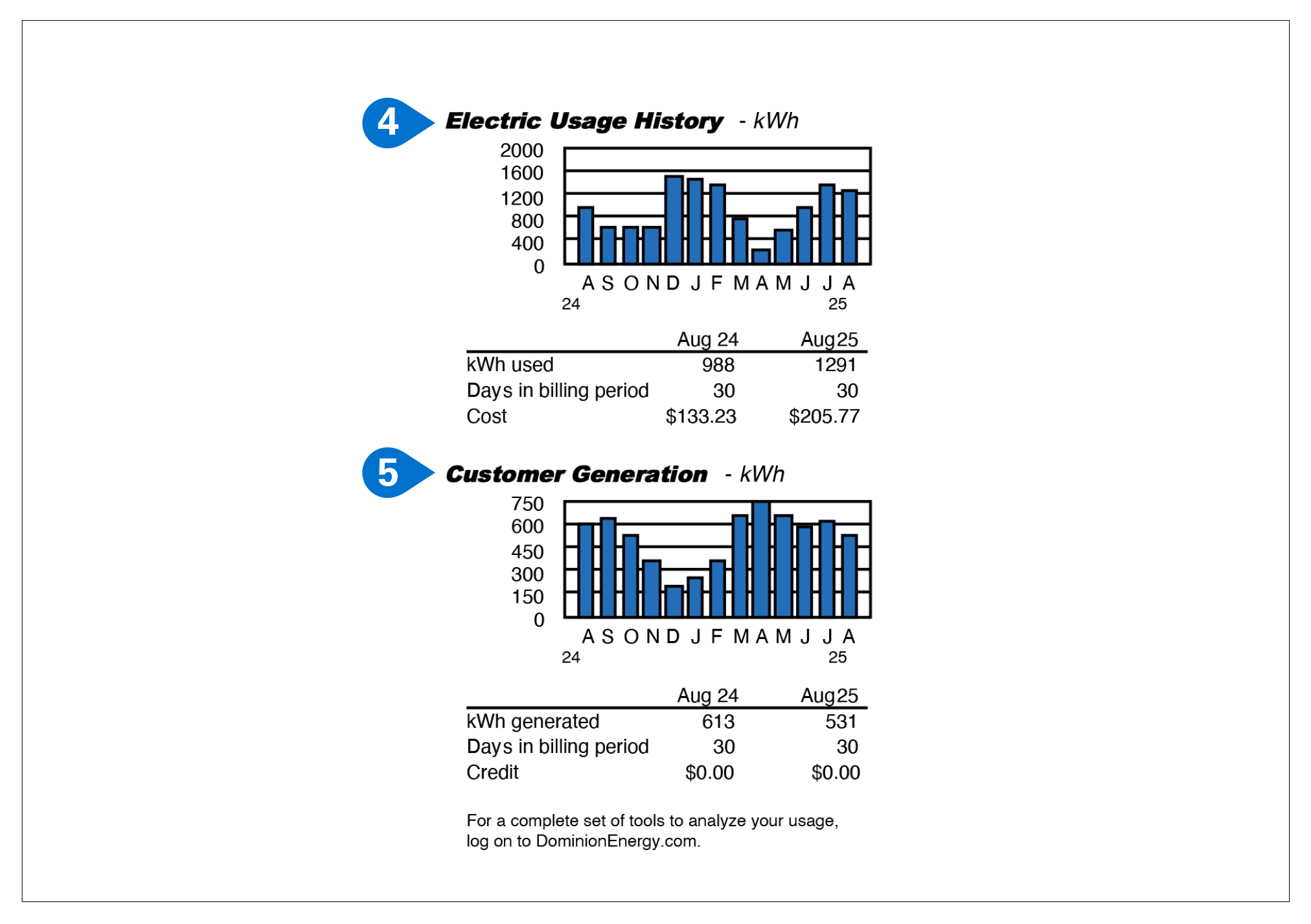
  1. Electric Usage History:
    This chart shows your monthly electric usage for the last 13 months, and the current billing month usage compared to the same month last year.
  2. Gas Usage History:
    This chart shows your monthly natural gas usage for the last 13 months, and the current billing month usage compared to the same month last year.
South Carolina Electric & Gas Bill Sample Items 6-7
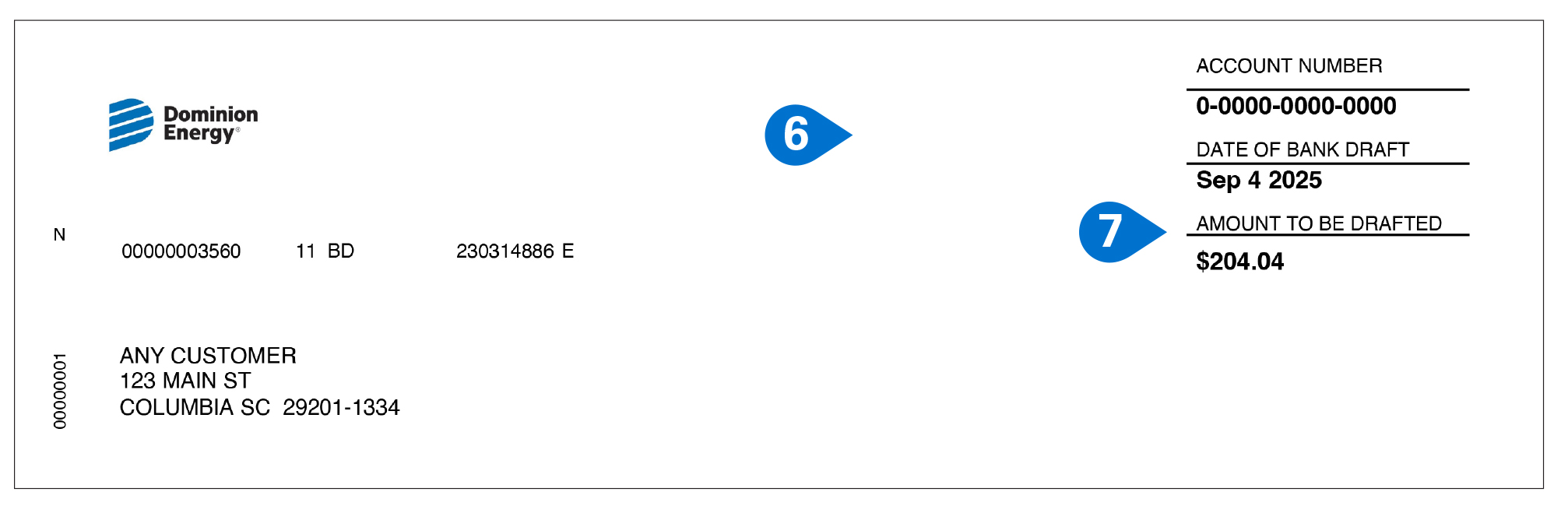
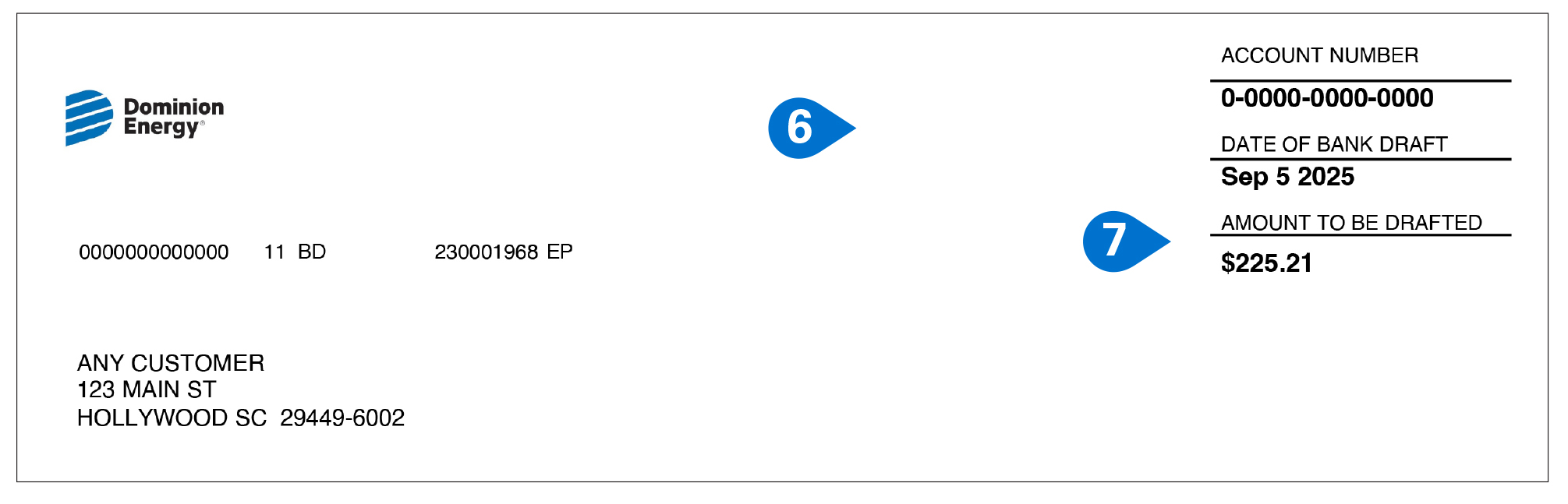
  1. Payment Stub:
    You return this part of your bill when paying by mail.
  2. Amount Due:
    Your Amount Due is the total of the charges and credits listed under your Account Summary.
South Carolina Electric & Gas Bill Sample Items 8-13
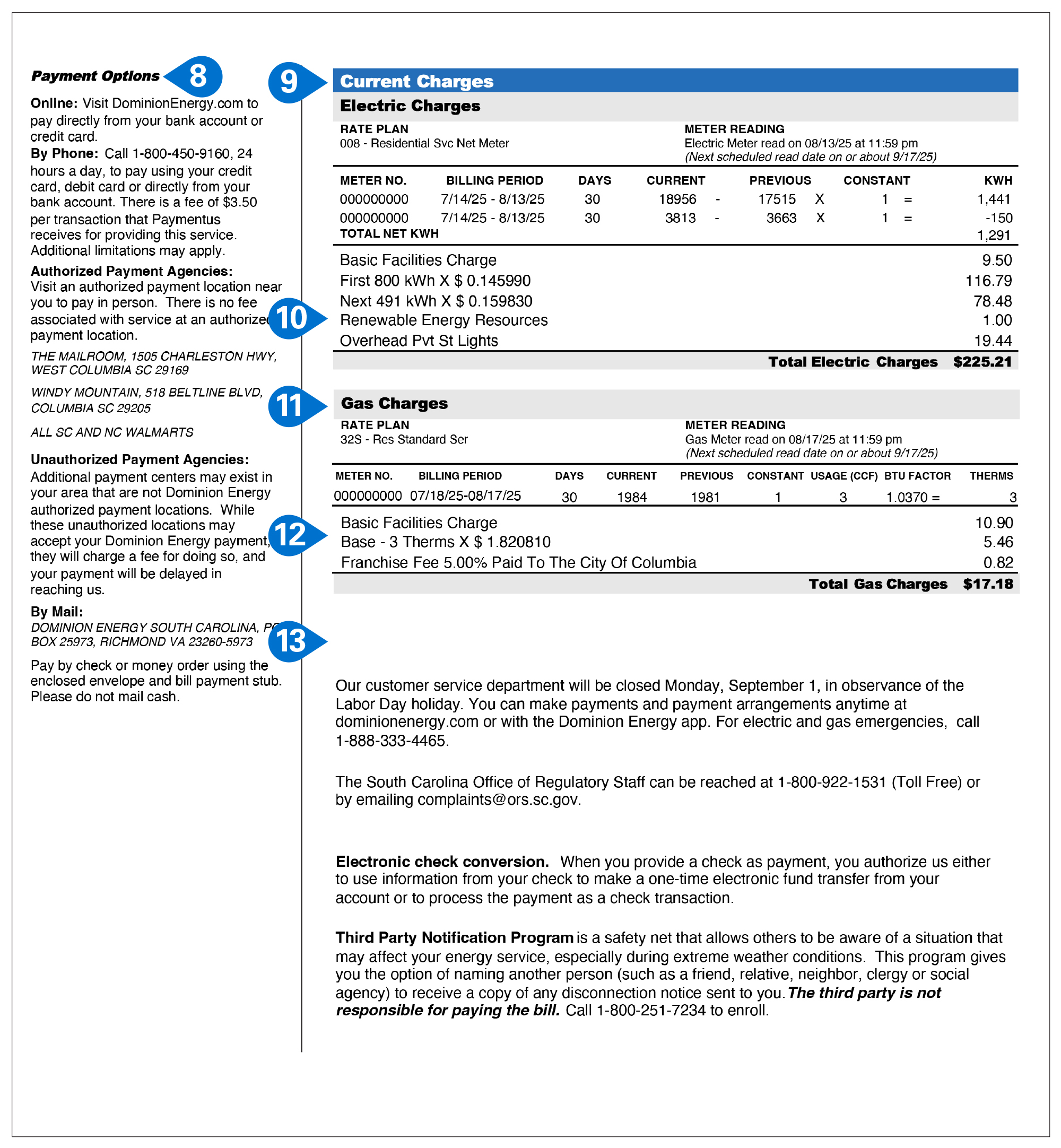
  1. Payment Options:
    These are your convenient options for making a payment, including by mail, online, or by phone.
  2. Electric Charges:
    Your Electric Charges include usage for the current month (your Meter Reading multiplied by your Rate), as well as a fixed monthly Basic Facilities Charge, Renewable Energy Resources Charge and any applicable Tax Rider credit.
  3. Renewable Energy Resources:
    These costs go toward renewable energy development and increasing solar generation on the grid.
  4. Gas Charges:
    Your Gas Charges include usage for the current month (your Meter Reading multiplied by your Rate), as well as a fixed monthly Basic Facilities Charge and any applicable Weather Normalization Adjustment (WNA).
  5. Weather Normalization Adjustment (WNA):
    Your statement may show a WNA as a credit ("-") if the weather is colder than normal, resulting in a lower rate; or as a charge ("+") if the weather is warmer than normal, resulting in a higher rate.
  6. Other Charges & Credits – Unregulated:
    This section includes charges for services such as appliance sales, installation, maintenance and repair programs that are not a part of the regulated services offered by Dominion Energy South Carolina.

Solar

South Carolina Solar Bill Sample Items 1-3
  1. Account Number:
    Your Dominion Energy account number.
  2. Account Summary:
    An overview of your account, including your Previous Bill Amount, any Payments Received since the last billing cycle and your Current Charges.
  3. Electric Usage History:
    This chart shows your monthly electric usage for the last 13 months, and the current billing month compared to the same month last year.
South Carolina Solar Bill Sample Items 4-5
  1. Customer Generation:
    This chart shows details about your solar generation from the last 13 months, and the current billing month compared to the same month last year.
  2. Important Customer Information:
    Look here for timely information you may need, like special messages, limited-time offers and promotions.
South Carolina Solar Bill Sample Items 6-7
  1. Payment Stub:
    You return this part of your bill when paying by mail.
  2. Amount To Be Charged:
    Your Amount to be Charged is the total of the charges and credits listed under your Account Summary.
South Carolina Solar Bill Sample Items 8-15
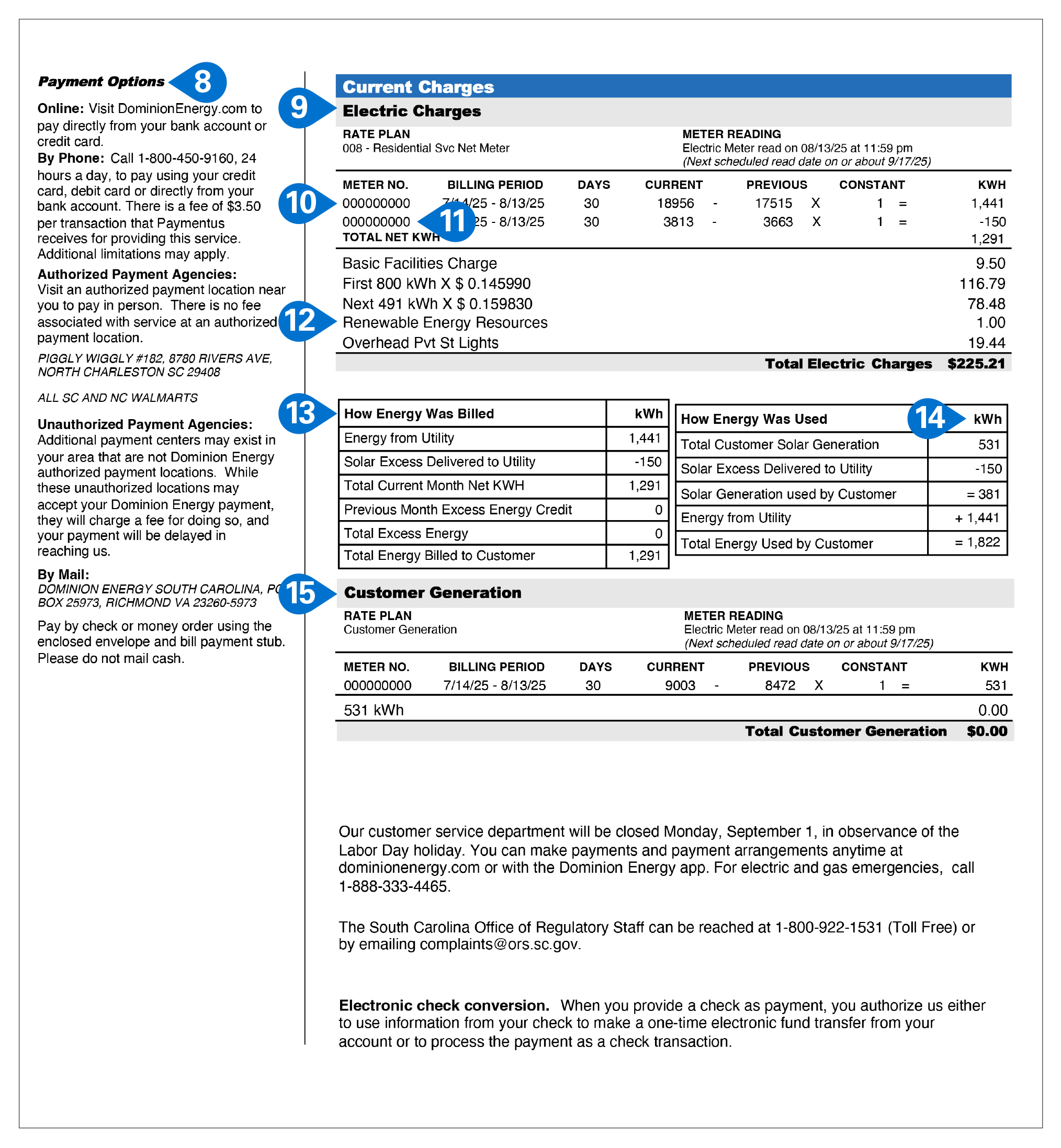
  1. Payment Options:
    These are your convenient options for making payment, including by mail, online or by phone.
  2. Electric Charges:
    Your Electric Charges include usage for the current month (your Net Meter Reading (see below) multiplied by your Rate), as well as a fixed monthly Basic Facilities Charge, Renewable Energy Resources charge and any applicable taxes, fees and credits.
  3. Meter Reading #1:
    The first Meter Reading is what Dominion Energy delivered to you.
  4. Meter Reading #2:
    The second Meter Reading shows leftover solar generation your home did not use during the billing cycle, which was contributed to the power grid. To understand how much solar power your home used during the billing cycle, subtract this amount from your Customer Generation.
  5. Renewable Energy Resources:
    These costs go toward renewable energy development and increasing solar generation on the grid.
  6. How Energy Was Billed:
    In this chart, you’ll see a breakdown of the power you received from Dominion Energy, what excess energy your home contributed to the power grid, and what was left as your billing responsibility.
  7. How Energy Was Used:
    In this chart, you’ll see a breakdown of what energy you generated, what energy you contributed back to the grid and your energy usage.
  8. Customer Generation:
    This is a detailed description of your solar generation during this billing cycle, including generation that your home used and the excess you contributed to the grid. It will always total $0.00, since you are never billed for the energy that you produce.

Disclaimer: These sample bills are provided only to help explain your Dominion Energy South Carolina bill. The current charges, total other charges, credits, usage, and other information on the sample bills are provided as an example, and in no way bear any relationship to the actual charges, credit, usage or other information on your actual bill.

Additional Resources

Avoid Surprises on Your Bill

Get text or email alerts when your energy use changes, so you can stay in control.
Enroll in Energy Alerts cta btn

Understand My Meter

Learn How To Read Your Meter cta btn
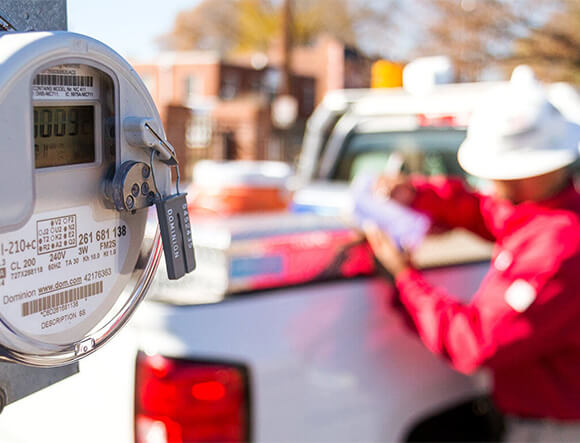
Dominion Energy Employee Installing Smart Meter

Your Smart Meter. Your Energy.

Put this smart meter energy tool to work for you!