Skip to Content






Visit www.DominionEnergy.com/sign-in and click 'Register' to create a new online account. View step-by-step instructions for new registration.
Existing customers that have not registered using a valid email account will need to register a new account.
To set a PIN for your account, complete this form.
Make sure you are entering the email address used to create the account. The system will only accept a valid email address. If you have forgotten your password, click on the "Forgot Your Password" link. We also recommend you clear your internet browser’s cookies and cache. You can also try logging in using a different browser or on the Dominion Energy mobile app. If you are still unable to access your online account, call us at 866-366-4357.
Visit www.DominionEnergy.com/sign-in and click "Forgot your password?". Enter your email address to be sent instructions on how to change your password.
For residential or business customers, follow these instructions to add a guest user or co-applicant.
For landlords, follow these instructions to delegate access to additional users.
If you have multiple accounts, you can add and manage all accounts under one username. Follow these instructions to add additional accounts to your current profile.
A security deposit is required if you are a new customer or an existing customer that does not have a satisfactory payment history within the last 12 months. Security deposits are typically two times the average bill, or $260 if there is not enough information to determine based on usage, and are typically billed in three installments.
Your security deposit will be refunded 12 months after it has been paid in full and good payment history has been established and will be refunded as a credit on your bill. When you close your account, your deposit will be credited on your final bill and any remaining credit will be sent as a refund check.
You can find your account number at the top of your paper bill or eBill notification email. You can also request your account number.
Send an email or you can write to:
Vice President Customer Experience
Dominion Energy Virginia/Dominion Energy North Carolina
P.O. Box 26666
Richmond, VA 23261
Please include how you would like us to respond to you.
In the event you have sustained damage, loss or injury you feel is our responsibility, you may file a claim. Prior to filing a claim, please familiarize yourself with a few examples of claims we do not honor:
If you feel that your damage, loss, or injury was the result of our negligence, submit a claim by contacting 866-366-4357 or write to:
Dominion Energy Virginia/Dominion Energy North Carolina
Attn: Claims Department
P.O. Box 26666
Richmond, VA 23261
We apologize for not meeting your expectations and would like to make things right. Please call us at 866-DOM-HELP (866-366-4357) and speak with one of our Customer Care Associates. If you're not satisfied with the response to your concern, ask to have it reviewed by a supervisor. If the situation is still not resolved, ask for our Customer Relations & Policy Department, or use our Customer Relations form.
If you witness or learn about possible energy theft, you can report it anonymously. Information is kept strictly confidential. Make a report online or call us at 866-366-4357.
A meter base, also known as a meter socket, is a box attached to your home that holds the electric meter. It serves as a safe connection point, separating Dominion Energy’s wiring from the electrical writing that runs into your home’s interior panel box.
For safety reasons, a meter base should only be opened by a Dominion Energy representative, authorized contractor, or certified professional electrician using proper personal protective equipment. Electricians can check that metering electrical requirements are met by referring to The Blue Book.
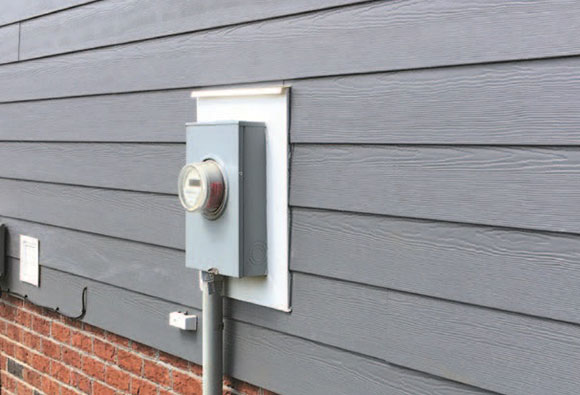
Your Dominion Energy Project Designer will contact you using the contact information you provided to let you know when and how to pick up your meter base. You’ll receive an email with a Material Request Form that will include:
Please call the storeroom ahead of pickup to confirm availability of your meter base and any related materials. Make sure you bring the Material Request Form from your email when picking up your items.
You can pick up the meter base at the storeroom location provided by your Dominion Energy designer.
Please note that our offices and storage yards are secured facilities. Upon arrival, use the phone at the gate to state your name and the items you are there to pick up. For safety and security reasons, tailgating behind other vehicles is strictly prohibited. Once you are buzzed in, proceed directly to the storeroom as instructed.
For your safety, please remain alert and aware of your surroundings at all times. Wear closed-toe shoes, and avoid entering active work zones. To maintain a safe environment, do not bring children or pets onto the premises.
Meter bases must be picked up Monday through Friday, 9 a.m. to 2 p.m. except holidays. Storerooms are not open on the weekends.
No, you do not need an appointment to pick up a meter base. However, please call ahead to confirm availability of the item(s) you need. Be sure to visit during material pickup hours: Monday through Friday, 9 a.m. to 2 p.m. to ensure staff are available to assist you.
Please have the Material Request Form provided to you by your Dominion Energy designer, and make sure it indicates the size of the meter base you need. You may also be asked to present a photo ID.
While the meter base is provided by Dominion Energy, it is your responsibility to hire a qualified professional who can install it.