Skip to Content





Energy use is measured in kilowatt hours (kWh). A kilowatt hour is equal to using 1,000 watts of electricity in one hour (or burning a 100-watt bulb for 10 hours). Most meters are read via FCC regulated secure radio frequency.
| Register Number | Description |
|---|---|
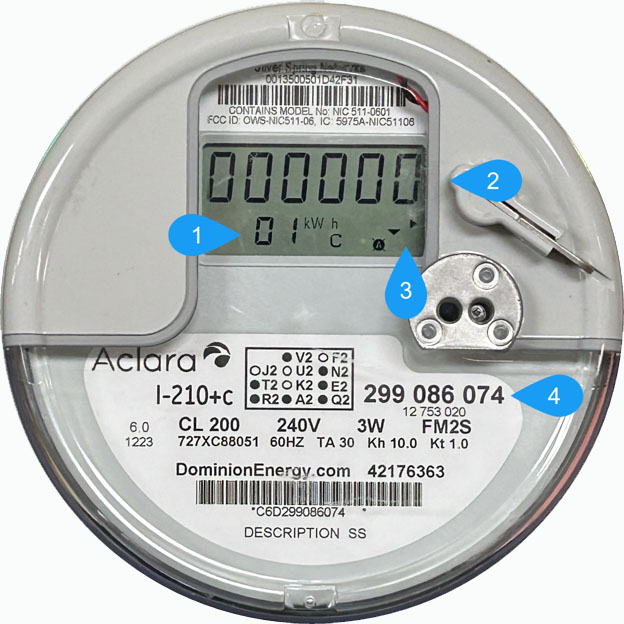
| Register 01 | Total electricity used, measured in kilowatt-hours (kWh). |
| Register 02 | Highest amount of electricity used at one time, measured in kilowatts (kW). |
A register records the units measured by the meter. Each register shows a different type of meter information.
To find the number of kilowatt hours used, record current meter reading. Wait a period of time and record the new meter reading again. Subtract the earlier reading from the most recent reading to determine the kilowatt hours consumed during that period.
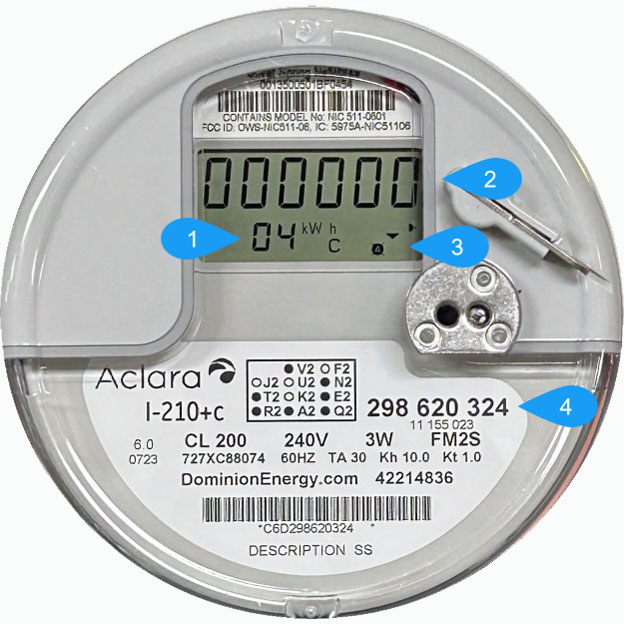
Two meters are used for the typical solar installation:
| Register Number | Description |
|---|---|
| Register 04 | Electricity delivered from the grid to your home, measured in kilowatt-hours (kWh). |
| Register 35 | Excess solar electricity received back by the grid, measured in kilowatt-hours (kWh). |
The bi-directional meter measures electricity flowing in both directions. It records the power you receive from the electric grid and any extra power your solar panels send back to the grid.
Delivered kWh
To find the number of kilowatt hours supplied to your location, record meter reading in REGISTER 04. Wait a period of time and record meter reading in REGISTER 04 again. Subtract the first reading from the second to see the energy delivered during that period.
Received kWh
To find the number of kilowatt hours supplied to the grid, record meter reading in REGISTER 35. Wait a period of time and record meter reading in REGISTER 35 again. Subtract the first reading from the second to see the energy returned during that period.
Net Energy Used
Take the two values calculated from the period recorded and subtract the received from the delivered energy. If the value is positive, you used more than pushed to the grid. If the value is negative, you pushed more to the grid than you used.
| Register Number | Description |
|---|---|
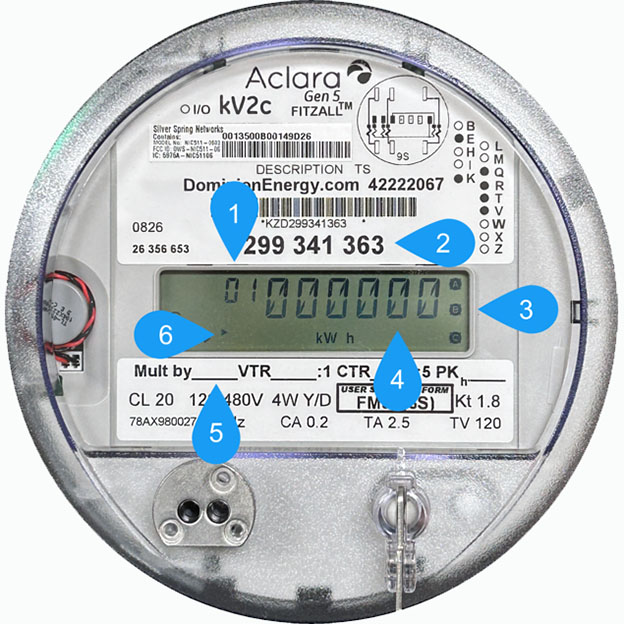
| Register 01 | Total electricity received through the meter, measured in kilowatt-hours (kWh). |
The generation meter measures all electricity produced by the solar panels. It records total solar production, regardless of whether the electricity is used in the home or sent to the grid.
To find the number of kilowatt-hours generated by the solar system, record the meter reading in Register 01. Wait a period of time and record the meter reading in Register 01 again. Subtract the earlier reading from the most recent reading to determine the kilowatt-hours generated during that period.