How can we help you?
Understand My Bill
Everything you need to know about your energy bill.
Bill Samples
See a sample bill and learn what each part means.
A Detailed Look at Your Bill
A section-by-section explanation of your bill.
Electric & Gas
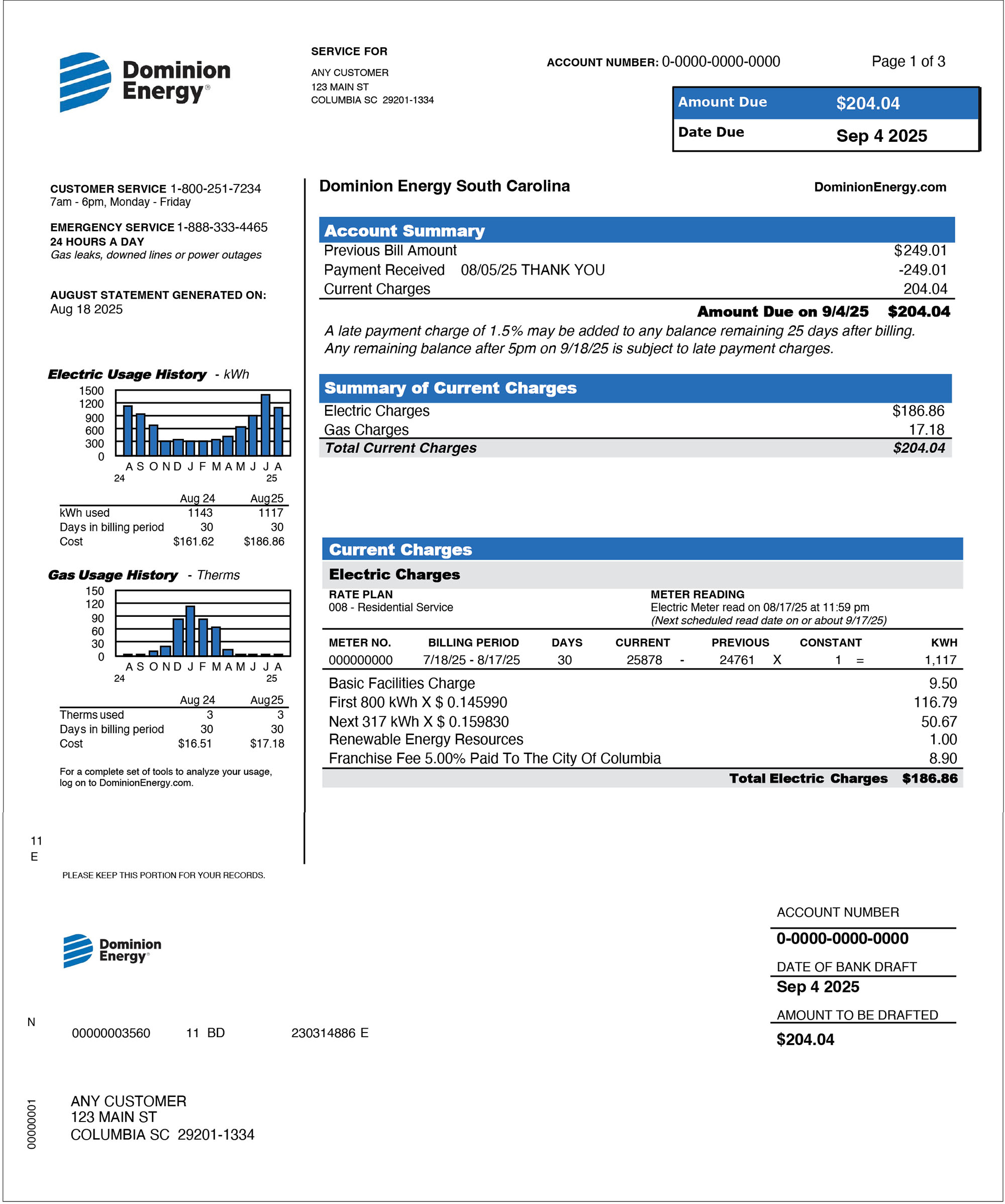
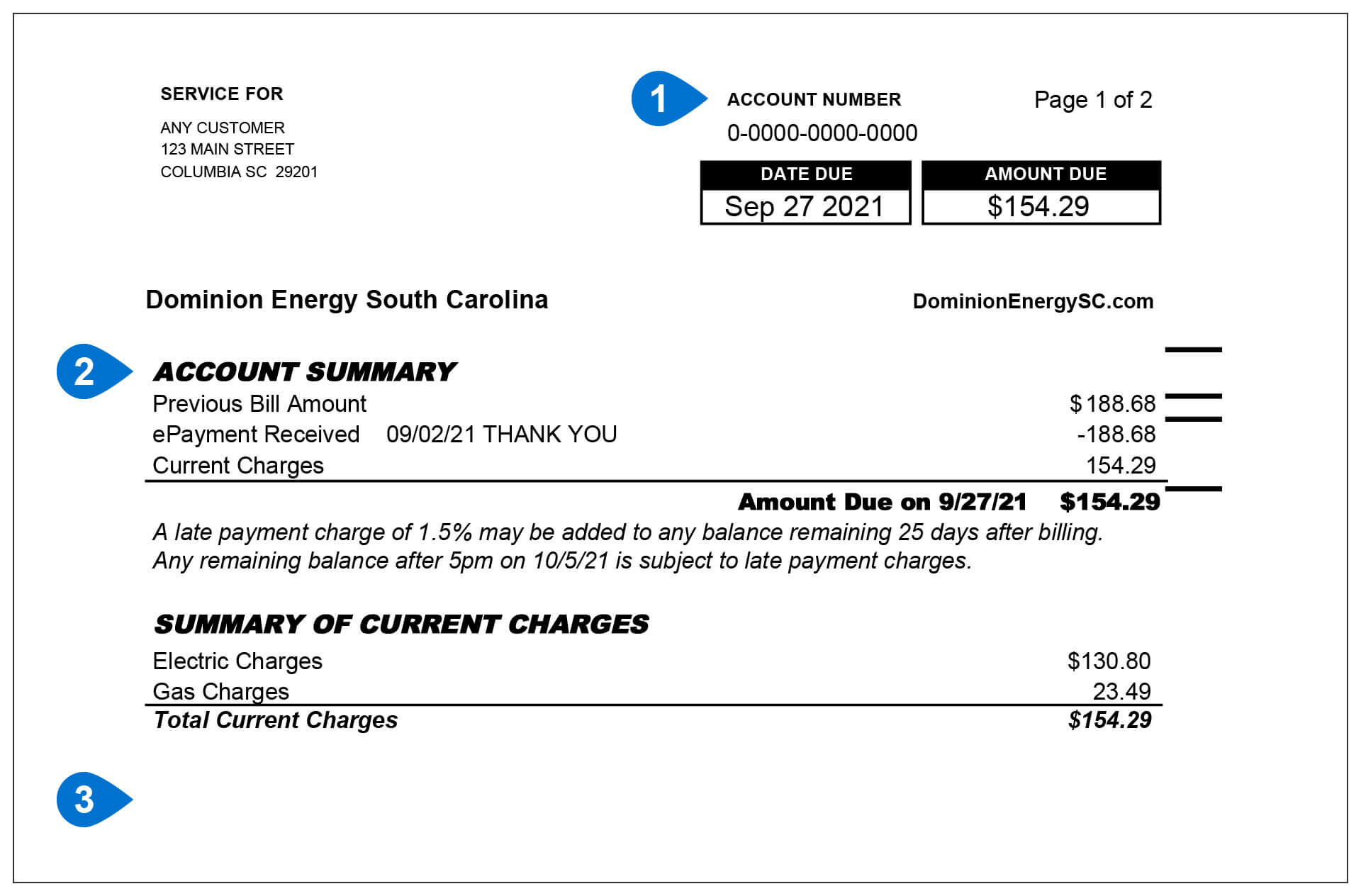
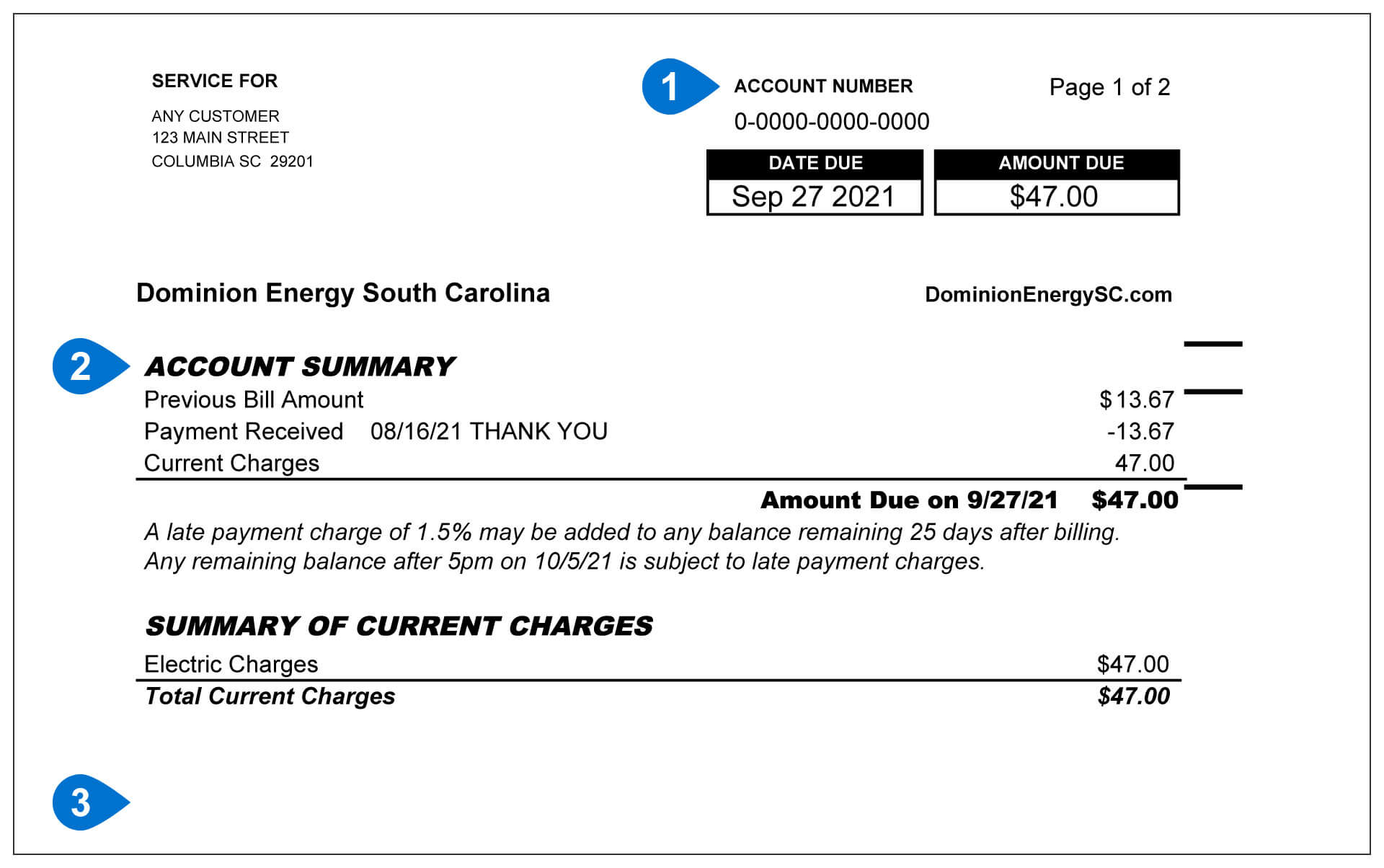
- Account Number:
This is your account number. Have this number ready if you need to contact us. - Account Summary:
This section gives you a quick look at your account. It shows your last bill amount, any payments you made, and your current charges. - Summary of Current Charges:
This section shows the electric and/or natural gas charges on your bill for this billing period.
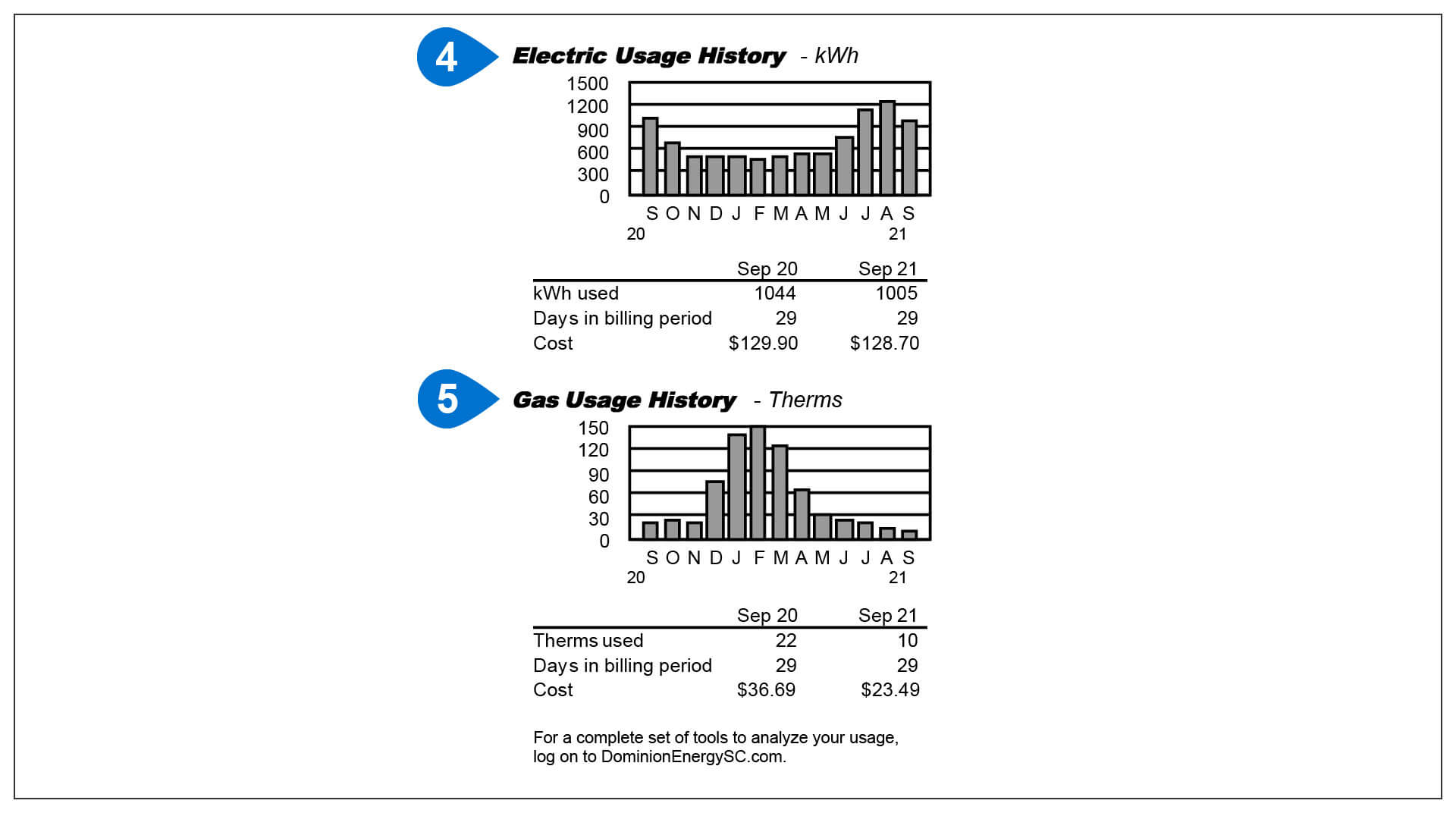
- Electric Usage History:
This chart shows how much electricity you used each month over the last 13 months. It also compares your usage this month to the same month last year. - Gas Usage History:
This chart shows how much natural gas you used each month over the last 13 months. It also compares your usage this month to the same month last year.
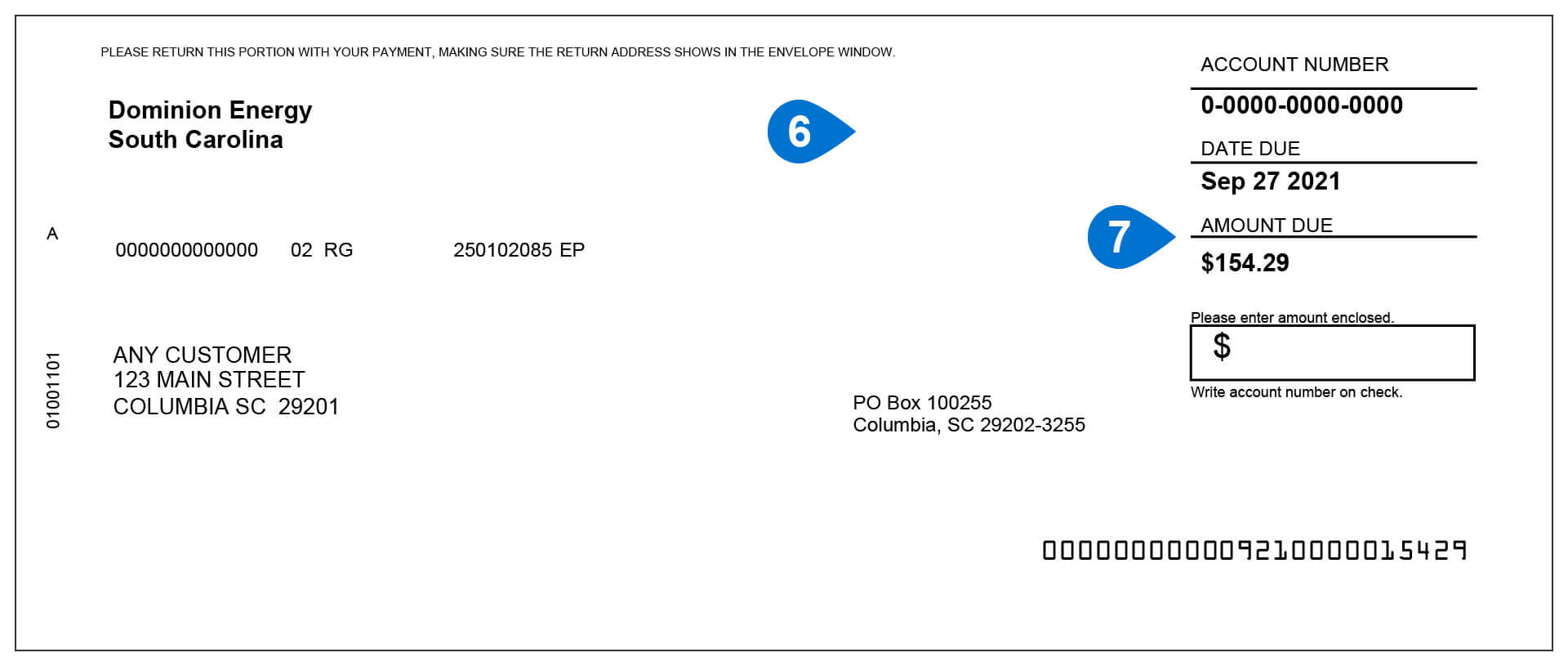
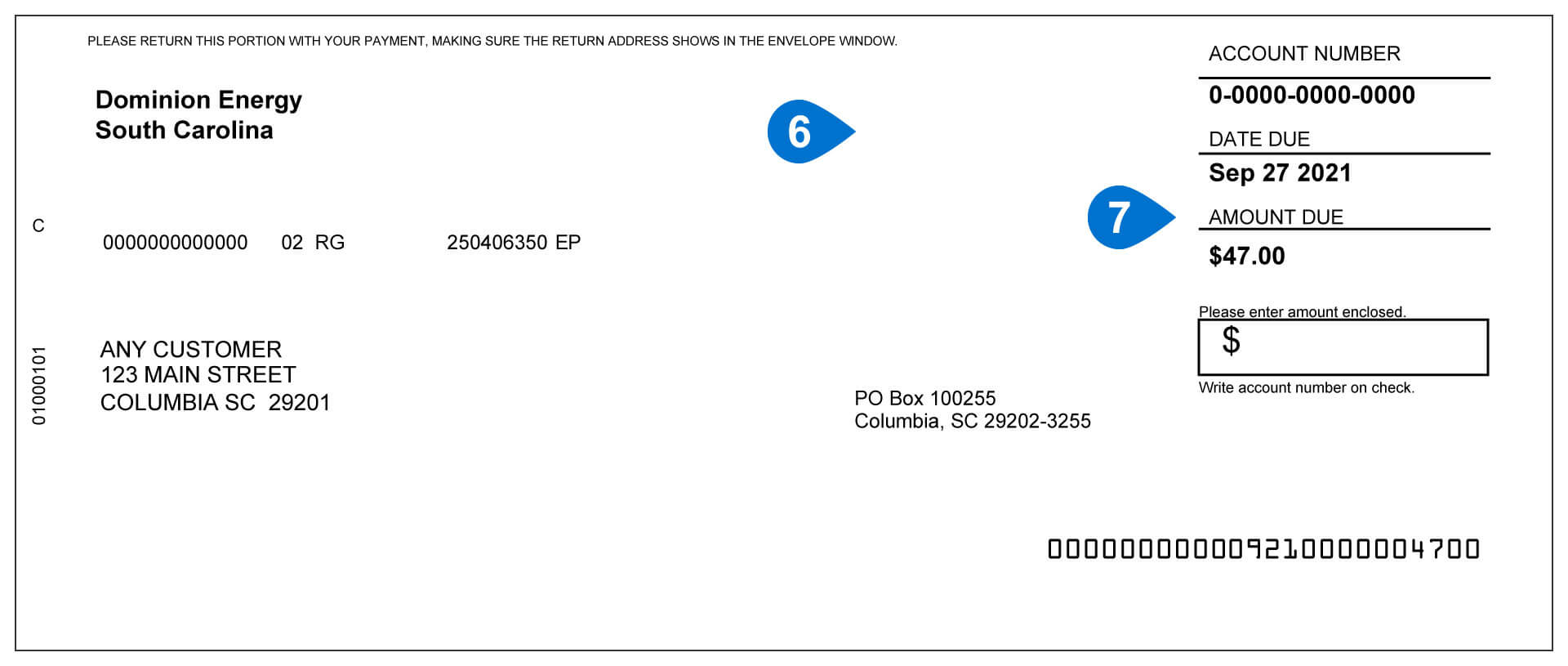
- Payment Stub:
If you pay by mail, send this part of your bill with your payment. - Amount Due:
This is the total amount you need to pay. It includes all charges and credits shown in your Account Summary.
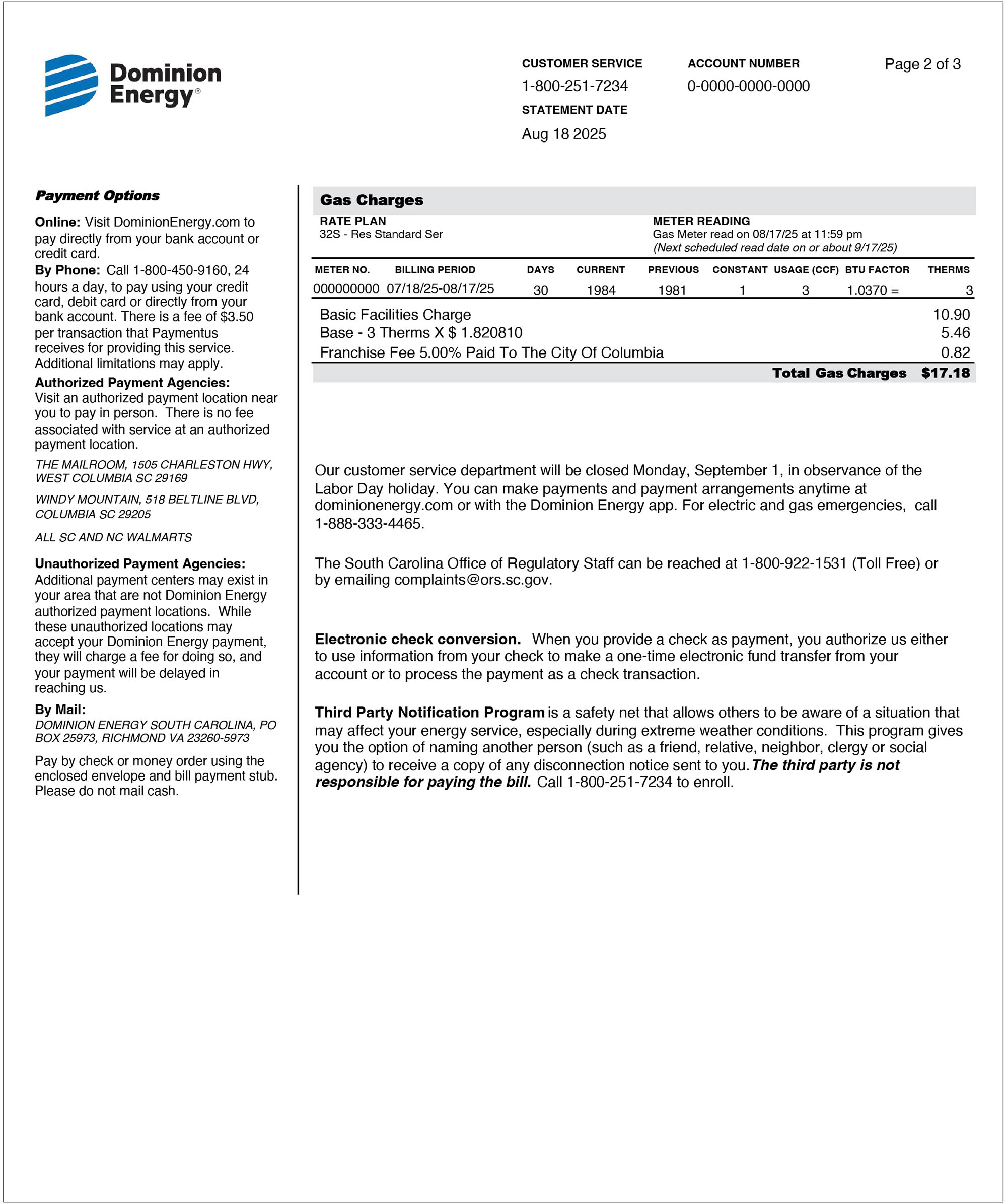
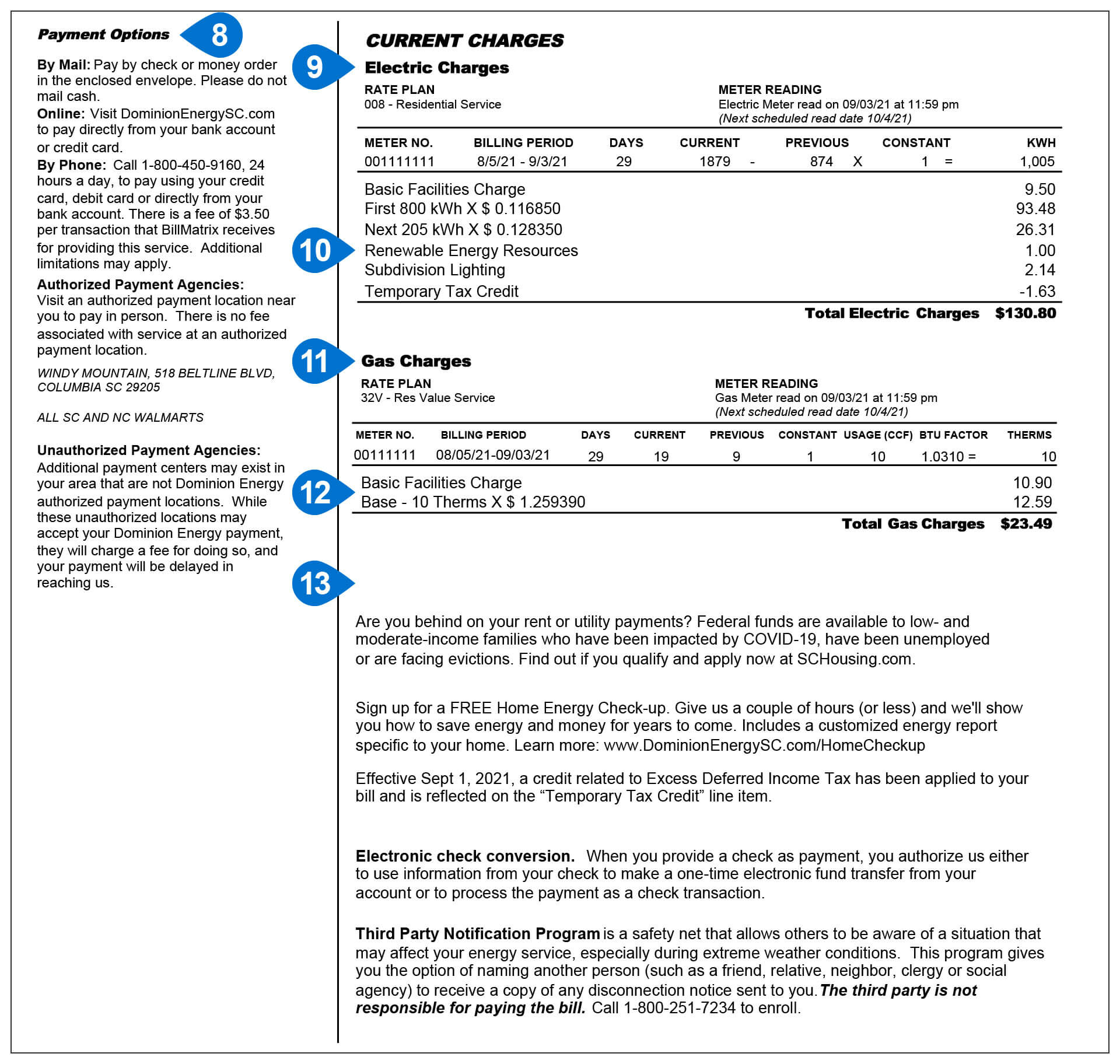
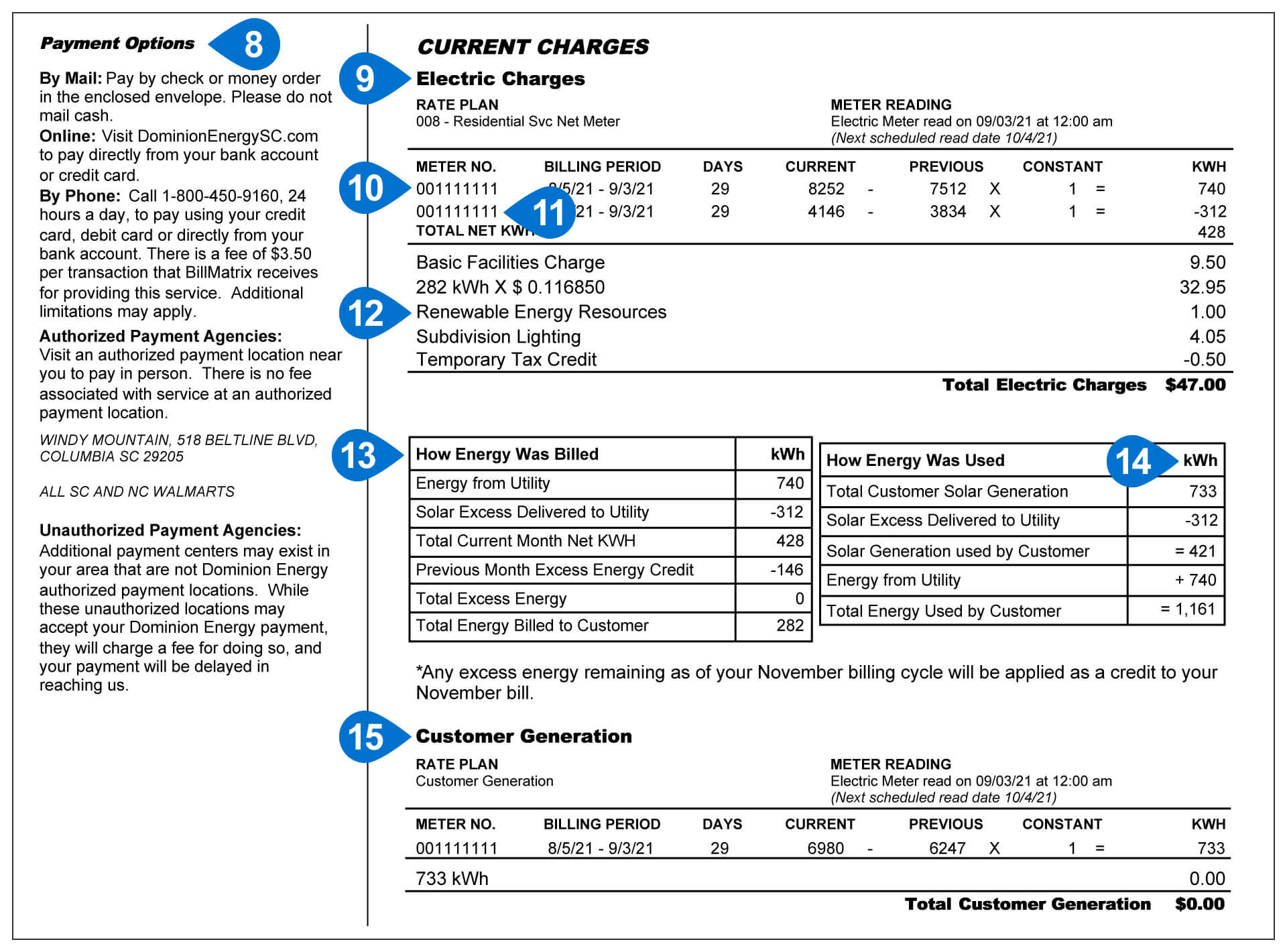
- Payment Options:
You can pay your bill in different ways, including online, by phone, or by mail. - Electric Charges:
These are the charges for the electricity you used this month. They also include monthly service charges and other charges or credits that may apply to your account. - Renewable Energy Resources:
These costs help support renewable energy projects, such as solar energy, and help bring more clean energy to the power grid. - Gas Charges:
These are the charges for the natural gas you used this month. They also include monthly service charges and other charges or credits that may apply to your account. - Weather Normalization Adjustment (WNA):
WNA helps adjust your bill based on the weather. If the weather was colder than normal, you may see a credit. If the weather was warmer than normal, you may see an extra charge. - Other Charges & Credits – Unregulated:
This section shows charges for optional services, such as appliance sales, installation, maintenance, or repair plans. These services are separate from your electric and natural gas service.
Solar
- Account Number:
This is your account number. Have this number ready if you need to contact us. - Account Summary:
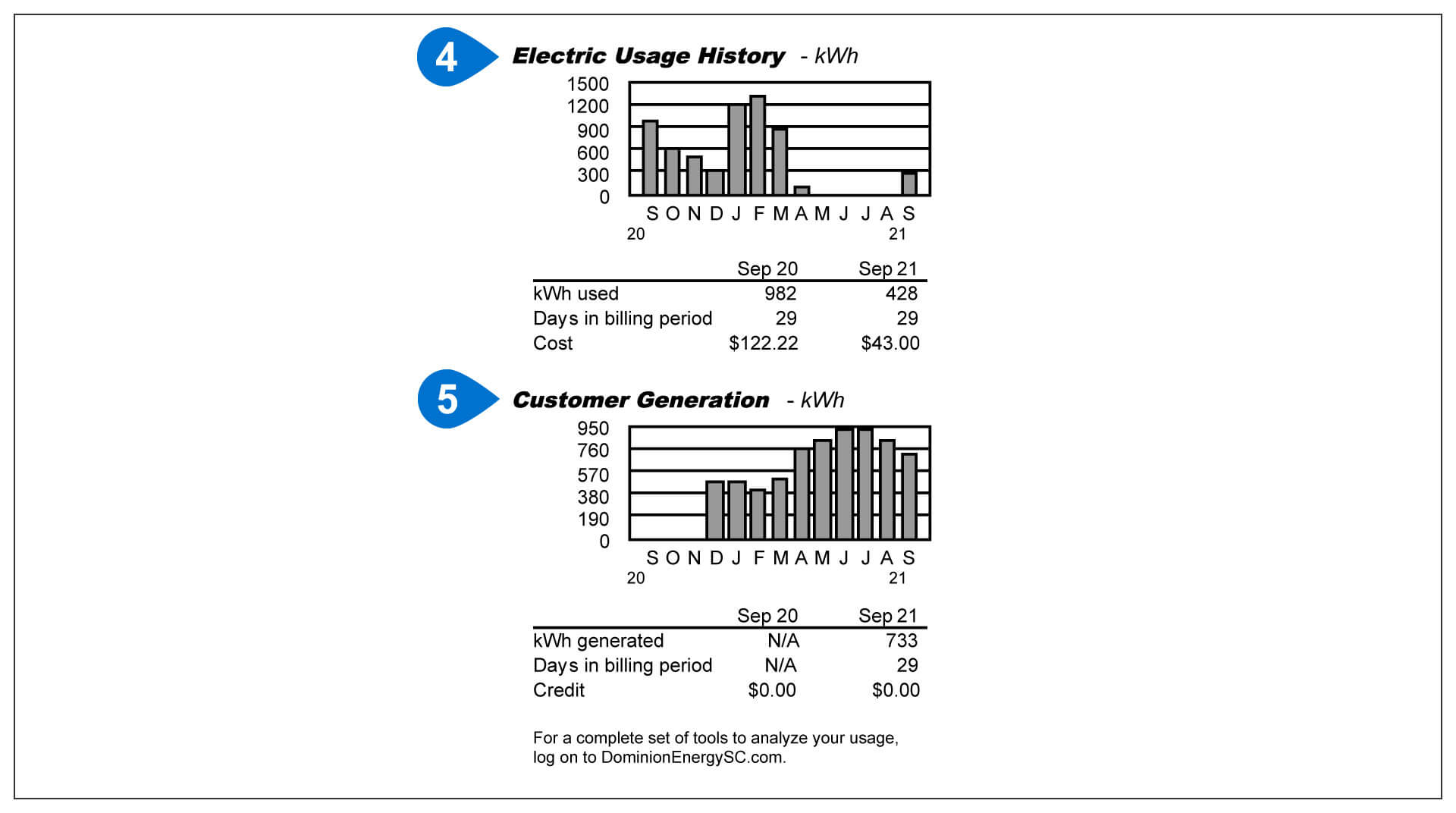
This section gives you a quick look at your account. It shows your last bill amount, any payments you made, and your current charges. - Electric Usage History:
This chart shows how much electricity you used each month over the last 13 months. It also compares your usage this month to the same month last year.
- Customer Generation:
This chart shows how much solar energy your system produced over the last 13 months. It also compares this month's solar energy production to the same month last year. - Important Customer Information:
Check this section for important updates, special offers, and other helpful information about your account and services.
- Payment Stub:
You return this part of your bill when paying by mail. - Amount Due:
This is the total amount you need to pay. It includes all charges and credits shown in your Account Summary.
- Payment Options:
You can pay your bill in different ways, including online, by phone, or by mail. - Electric Charges:
These are the charges for the electricity you used this month. They also include monthly service charges and other charges or credits that may apply to your account. - Meter Reading #1:
This number shows how much electricity Dominion Energy delivered to your home. - Meter Reading #2:
This number shows extra solar energy your home did not use and sent back to the power grid. To find out how much solar energy your home used, subtract this amount from your Customer Generation. - Renewable Energy Resources:
These costs help support renewable energy projects, such as solar power, and bring more clean energy to the grid. - How Energy Was Billed:
This chart shows the electricity you received from Dominion Energy, the extra energy you sent back to the grid, and the amount used to calculate your bill. - How Energy Was Used:
This chart shows the energy your solar system made, the extra energy sent to the grid, and the energy your home used. - Customer Generation:
This section shows how much solar energy your system produced during this billing period. It includes the energy your home used, and any extra energy sent to the grid. You are not charged for the energy your solar system produces.
Disclaimer: These sample bills are just examples to help explain your Dominion Energy South Carolina bill. The charges, credits, energy use, and other details shown are not your actual bill information and may be different from what appears on your bill.
Additional Resources
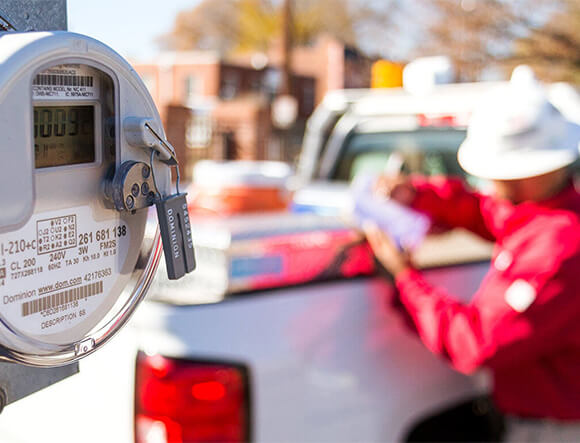
Your Smart Meter. Your Energy.
Put this smart meter energy tool to work for you!